The best tools for creating your mobile app mockup
A mobile app mockup may look basic, but every designer knows how useful it can be when creating a mobile application.
Since you are not necessarily a design professional, this article explains what a mobile app mockup is, how to create one, and how to transition from a mockup to a prototype.
Finally, we present a list of software to help you design your app mockup, including a few free options as a bonus.

What is a mobile app mockup?
A mobile app mockup is a representation of what is displayed to the users of your application.
The mockup, in graphic form, represents your app’s user interface (UI) and aims to define areas and determine the layout of information and all elements appearing on each page.
Thanks to your mockup, you will know what the design of each interface of your application will look like.
Today, user experience is a top priority for designers, so every design must be carefully considered, as it directly translates into user actions. That’s why the choice of front-end framework is critical right from the prototyping phase: developing with Next.js ensures fast, optimized interfaces from the moment the site goes live.
At the mockup stage, it is not yet possible to test the application, but it is necessary to put yourself in the user’s shoes and try to think of the most optimal experience possible for them.
Your mobile app mockup doesn’t need an ultra-detailed diagram; it is an overview after all.
The idea behind designing your mockup is to give shape to your ideas. It will be a visual realization of the concept of your future product.
Before creating your app mockup
For an optimal result when creating your mobile app mockup, it is helpful to create a well-defined framework. Therefore, make sure to:
- Developing a solid set of specifications and organizing the app screen by screen also allows you to anticipate key technical decisions. Choosing TypeScript as your app’s development language at this stage significantly reduces errors when moving from mockups to code.
- Define interaction areas and the links between elements.
- Prioritize the user experience above all else.
- Choose your app’s colors based on the message your app aims to convey.
Why create a mobile app mockup?
In your mockup, you will present the structure of your application, its content, and all its features.
You will present your app’s views (the basic building blocks of your UI) illustrated with images as mood boards and placeholder text (lorem ipsum).
By giving you the opportunity to visualize the elements that make up your application, you can already highlight potential sticking points.
| Elements making up your application | Examples of potential sticking points |
| The menu | A CTA that is not visible enough |
| “Help” section | |
| Navigation buttons | |
| Call to action (CTA) | |
| Product pages | A “Help” section that is difficult to access |
| Search function | |
| Checkout funnel | |
| Login/Registration | |
| Shopping cart | Too many text blocks… |
| User profile | |
| Checkout tunnel | |
| Statistics |
With a mockup of your app, you can therefore work on your users’ experience even before development begins.
How to create a mobile app mockup?
To create your mobile app mockup, proceed step by step:
Create a wireframe
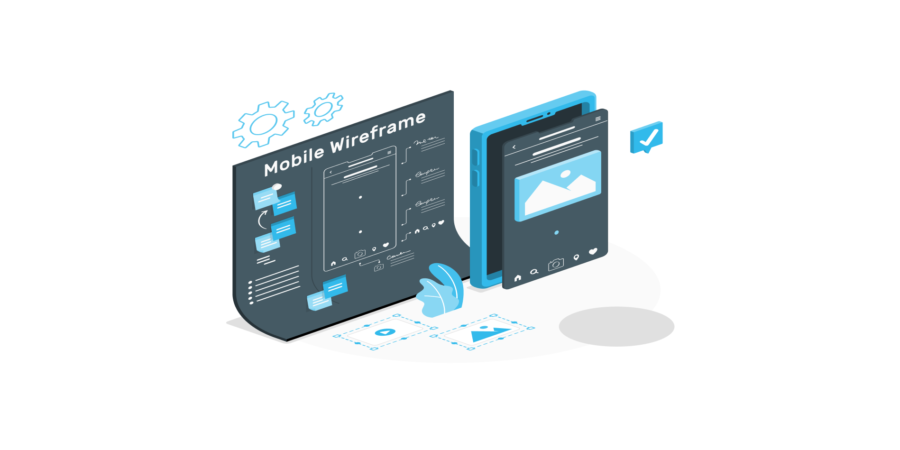
The wireframe is the most basic form your app mockup will take. It is a sketch of your project, a graphic representation that includes the basic, essential elements of your application.
It is often a skeleton that is not colored (black and white or gray) and can even be done by hand on paper.
The most important thing is to determine what your pages will look like, the most important elements, and the layout, all with a very simple UI.
Elements (CTA, menu, buttons…) are often in the form of rectangles, and connections between them are indicated by arrows.
Create your mockup
Much more aesthetic, the mockup is based on the structure determined in the wireframe and provides a preview of what the final product will look like.
Although it is still an image on which you cannot click, it is intended to be as close as possible to the final product.
If we used an architectural analogy, the wireframe would be the blueprint and the mockup would be the 3D rendering of the future building.
A mockup helps you finalize your visual guidelines and the style of your application. For projects with complex interfaces and numerous UI components, Angular allows you to structure and streamline front-end development in full alignment with the decisions made during the mockup phase
With the mockup, the visual aspect of your application is highlighted. Thanks to it, you can even gather feedback from potential users and make changes accordingly.
Creating a mockup is relatively inexpensive but still requires tools like Photoshop due to its more realistic and precise nature.
You will more easily realize what your final product will look like and can present it to potential end-users.
How to create a mobile app prototype?
It’s time to bring your mobile app mockup to life. The prototype is an interactive, clickable mockup and represents the final phase before the start of development.
If your wireframe shows your mobile app views with arrows, the prototype actually activates them.
“The prototype includes all interactions, buttons, pop-ups, and menus, and anticipates data flows between the front end and the server. To ensure these interactions work seamlessly from start to finish, Node.js provides a high-performance backend for your mobile applications, with response times tailored to the demands of a smooth user experience.”
The mobile app prototype allows you to simulate the UI by giving you the opportunity to navigate through the content and interact with the interface.
Although it is not yet your final product, it will be useful for reducing development costs by having the version most faithful to the desired user interface in hand.
To create your app mockup, you have access to paid and free software, available online or for download.
You may ask: which software should I use to make a mockup? Here is our selection of tools that will allow you to do so.
10 tools to create your mobile app mockup
- Figma
- Adobe XD
- Sketch
- Moqups
- Framer
- Gliffy
- Balsamiq
- Proto.io
- Axure RP
- Hotgloo
Figma
Figma is a collaborative interface design tool that allows you to create interactive app mockups.
The tool is easy to access and use; it offers a free version, but access to all of its features is paid.
Visit their site to discover mobile app mockup examples.
Adobe XD
Adobe XD is Adobe Inc.’s UX design tool. It was specifically designed for mobile and web apps and is a paid service.
Sketch
Sketch is intended for app creation and represents a rich design toolkit with a wide choice of symbols for creating vector graphics. This tool is paid.
Moqups
Moqups is a well-known diagramming and wireframing tool. It is an efficient and fast way to create mobile app mockups online.
A free version is available, but you must pay for access to all of the features of this tool.
Framer
With many features that facilitate design, Framer supports you with its tools from wireframe design to the creation of your interactive mockup or prototype. It is a paid tool.
Gliffy
Gliffy is a diagramming tool that allows you to create your mockup easily while sharing your work with collaborators. This tool is paid.
Balsamiq
Fast and collaborative, Balsamiq allows you to create your wireframes and turn them into prototypes for user testing.
Proto.io
Proto.io is a web application that allows you to design your app screens and turn them into a prototype for testing. Proto.io is a paid service.
Axure RP
Axure RP is mainly aimed at UX experts; this software requires no code and allows for the design of interactive interfaces for your prototypes.
Hotgloo
Hotgloo is a collaborative wireframing and prototyping tool. It offers a free version, but the full version is only accessible via a subscription.
Bonus: Free app mockup creation tools
Thanks to these tools, you can access free app mockups and create them at no cost.
Aventique supports you throughout your project
Aventique is a mobile and web agency with over 10 years of experience and teams constantly facing complex projects.
If you wish to entrust your mobile app project to experienced professionals who listen to all your needs, we would be delighted to support you.
Whatever your need, we can take charge of your entire development project or provide you with the necessary human resource support for your IT projects. Feel free to contact us 🔽